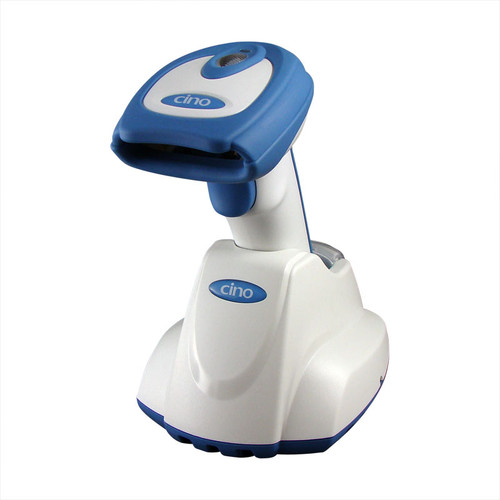
Corded 2D Imager
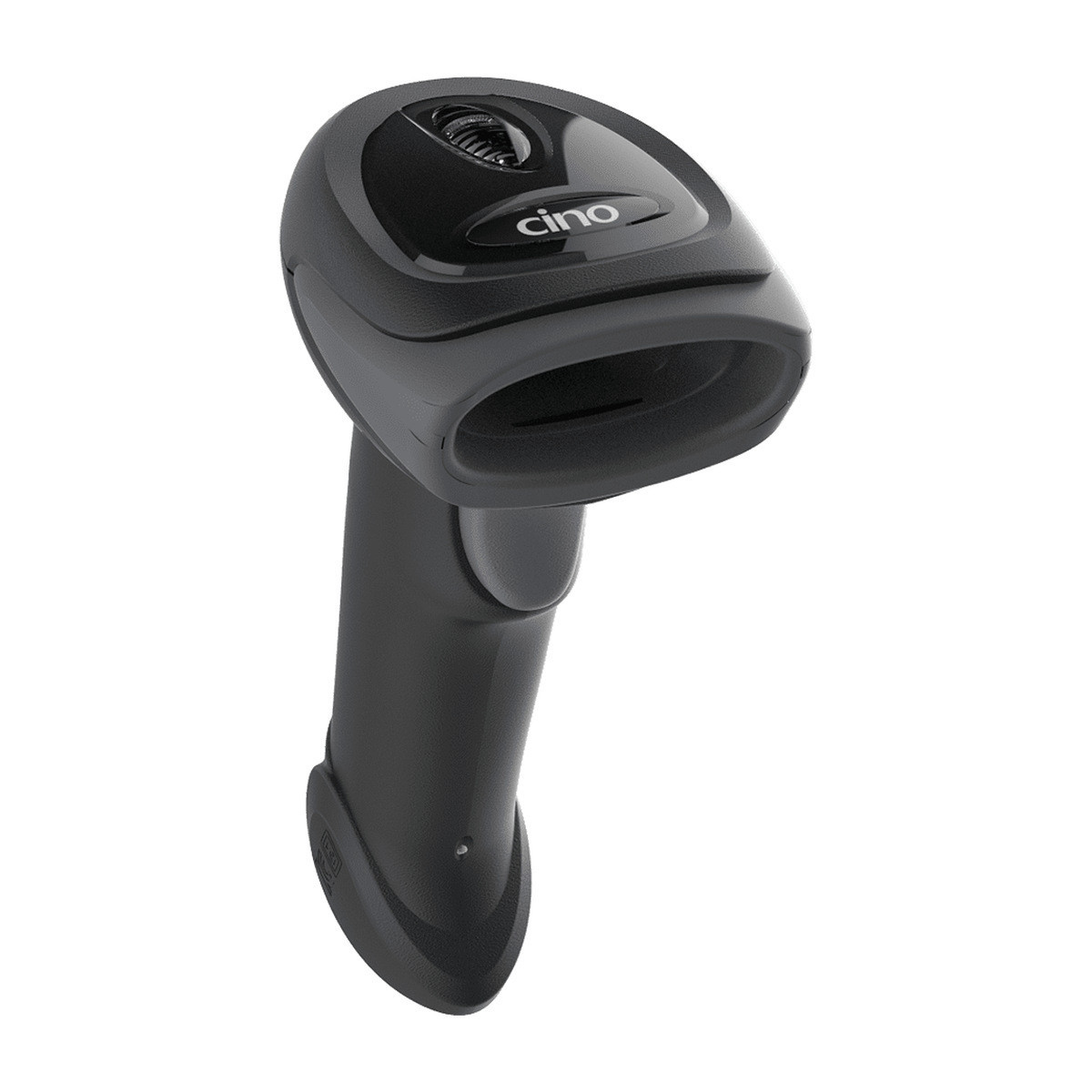
Cino FuzzyScan A670 2D Corded Barcode Scanner
Four host interfaces, a whole configuration in one barcode, and five part numbers covering USB, serial, black, ivory white and the Smart Stand. A scanner chosen by what it has to plug into.
USB and RS232No driver in keyboard modeiCode fleet setupDataWizard PremiumBlack or ivory white5 part numbers
Choosing a counter scanner is rarely about the scanning. The imager in almost anything current will read a retail barcode, and the question that actually holds up an order is whether the thing will talk to the software already running on the till, and what happens when the second, fifth and twentieth unit has to be set up the same way. The A670 is worth a look precisely there. It speaks four different host languages depending on the cable it ships with, it carries Cino's own configuration and data shaping tools rather than relying on a Windows utility, and it comes in five part numbers so the decision gets made once at the quote rather than twice at the counter. The reading performance is a given, and it is set out in full in the part number table and specifications below.
Four ways to talk to the till
USB keyboard, which is what most tills wantThe scanner presents itself as a keyboard and types what it reads into whatever field has focus. No driver, no COM port, no vendor utility. A till that accepts typing accepts this scanner.
USB VCOM for software that wants a serial portOlder and specialist packages often still open a COM port and read from it. USB VCOM gives them exactly that over a USB cable, so the software needs no change and the counter needs no serial hardware.
USB OEM POS for platforms that ask for itSome till platforms expect a scanner to announce itself as a POS device rather than as a keyboard, which hands the software control over beeps, lights and when the scanner is allowed to read. The A670 supports that class.
Real RS232, not an adaptorWeighbridges, kiosks, older terminals and industrial controllers still use serial, and a USB to serial dongle in the middle is usually where the trouble starts. The RS232 version is a serial scanner rather than a converted one.
One barcode sets a unit upCino packs a complete configuration into a single printed barcode it calls an iCode. Scan it and the unit is configured. That is the difference between commissioning twenty scanners in an afternoon and commissioning them over a week.
Data shaped before it arrivesDataWizard Premium can trim, pad, insert and reorder what the scanner sends, so a code that comes off the product in the wrong format is corrected at the scanner instead of inside your software.
The interface is the cable
Cino sets the host behaviour by the cable the scanner is supplied with, which is a more sensible arrangement than it first sounds. There is no hidden switch and no setting that gets lost, so an ordered unit arrives behaving the way it was quoted. It also means the cable is the thing to get right at the ordering stage, and that a USB unit will not quietly become a serial one later without a new cable.
The cable itself detaches at the handle, so damage to a lead on a busy counter is a low cost repair. That matters more over five years than any single line on a specification sheet, because a crushed cable is the most common thing that happens to a corded scanner.
Putting the same setup on every unit
- Set one unit up the way you want it. Work through the options on a single scanner, by barcode or with FuzzyScan PowerTool on a PC, until the output is exactly what your software expects.
- Turn that into an iCode. The finished configuration becomes one barcode. Print it, stick it inside the lid of the box the scanners arrive in, and the setup travels with the hardware.
- Commission each unit in one scan. A new scanner, or a replacement for a damaged one, is unboxed, plugged in and pointed at that barcode. Nobody has to remember which options were changed eighteen months ago.
- Keep the format correct at the scanner. Where a supplier label carries a prefix your system does not want, or a code needs a tab after it to move to the next field, DataWizard handles it so your software keeps receiving clean data.
What the Smart Stand adds
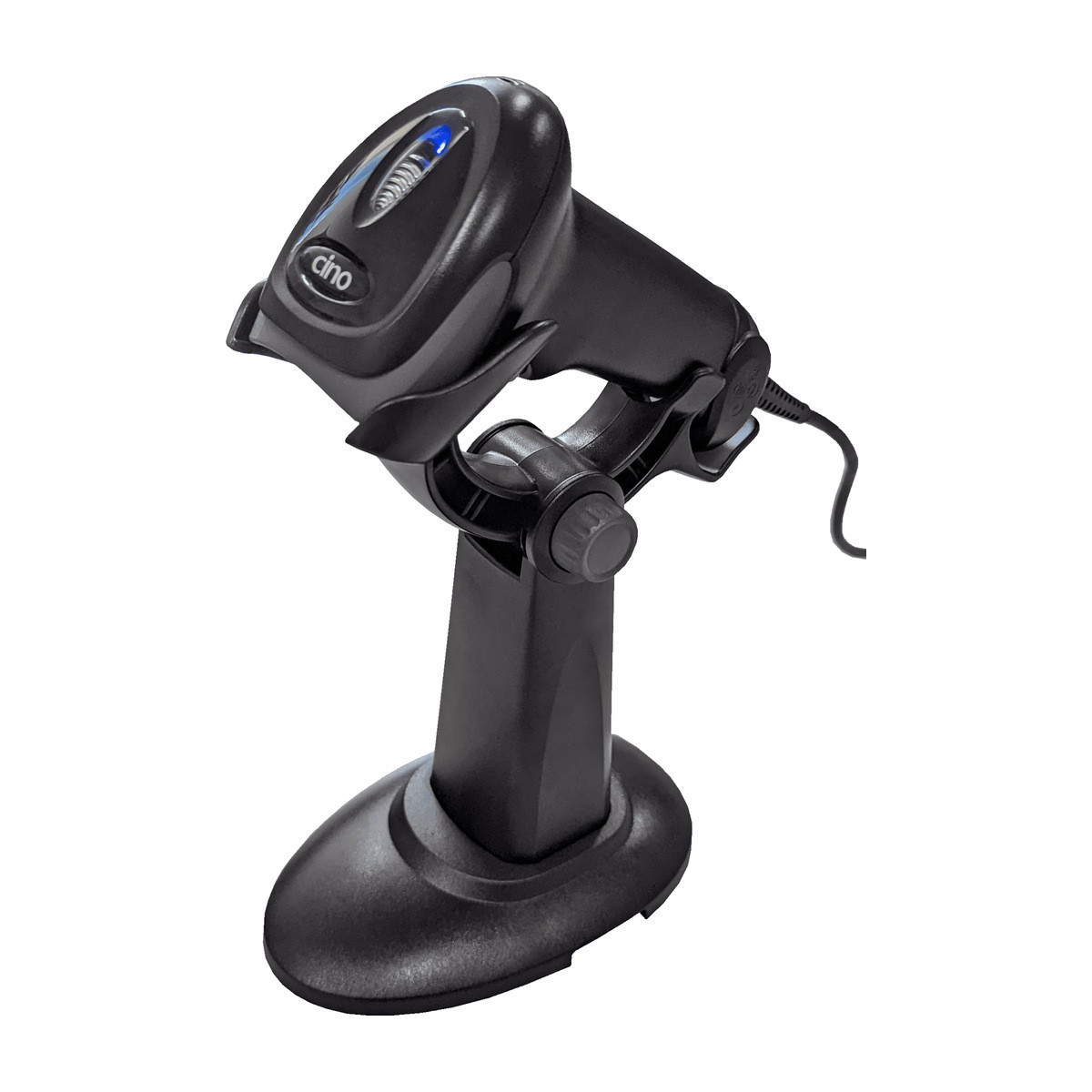
The stand holds the scanner at a working angle and switches it into hands free reading when the unit is dropped into it, then back to trigger scanning when it is lifted out. The practical result is that one scanner covers both working styles: small items presented to a fixed beam while the operator keeps both hands on the goods, and awkward or heavy items read by picking the scanner up.
It is ordered as part of the scanner rather than added afterwards, which is why two of the five part numbers carry KIT in the code. If a counter is likely to want hands free reading at any point, it is cheaper to take the stand now than to order it later.
The five part numbers
| Part number | Interface | Colour | Stand |
|---|
| PCW-A670USB-BL | USB | Classic Black | No |
| PCW-KIT-A670USB-BL | USB | Classic Black | Smart Stand included |
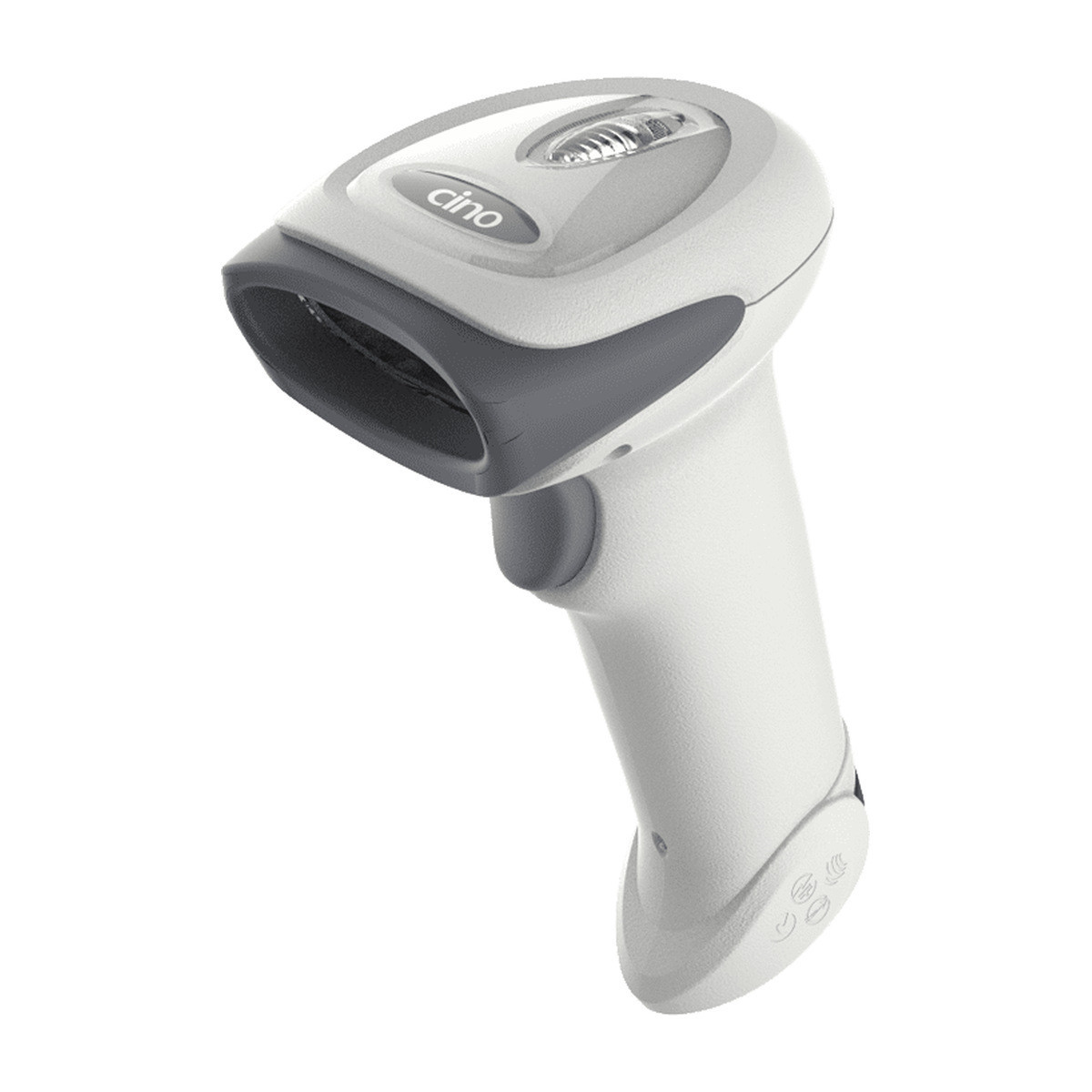
| PCW-A670USB-WH | USB | Ivory White | No |
| PCW-A670RS232-BL | RS232 | Classic Black | No |
| PCW-KIT-A670RS232-BL | RS232 | Classic Black | Smart Stand included |
All five share one imager, one body and one warranty. Pick the row that matches the port on the host, the colour that suits the counter and whether the stand is wanted, and that is the whole decision.
Ivory white is a real option, not a sample
The white body is a stocked part number on the USB version, which is worth knowing because white hardware is usually a special order with a lead time attached. Pharmacies, clinics, salons and service desks tend to want it so the scanner matches the rest of the bench, and the ivory tone shows marks less than the bright whites used on consumer hardware.
Serial is black only. If a site needs white and serial together, say so early and we will look at what Cino can do rather than guess at it here.
Full specifications
| Brand | Cino |
| Series | FuzzyScan A670 |
| Product type | Corded handheld 2D imager |
| Image sensor | 1120 x 768 pixels |
| Light source | Warm white LED |
| Field of view | 36.5 degrees horizontal x 24.9 degrees vertical |
| Minimum resolution | 3.0 mil Code 39, 5.0 mil Data Matrix |
| Reading range | 13 mil (0.33 mm) UPC/EAN up to 17.1 inches |
| Print contrast | 18 percent minimum reflectance difference |
| Roll, pitch, skew | Roll 360 degrees, pitch plus or minus 75, skew plus or minus 65 |
| Motion tolerance | Up to 370 cm/s (145 in/s) |
| Host interfaces | USB HID keyboard, USB VCOM, USB OEM POS, standard RS232. The interface is set by the cable the variant ships with. |
| Configuration | FuzzyScan barcode commands, iCode one-step setup, FuzzyScan PowerTool |
| Data processing | DataWizard Premium |
| User interface | 3 LEDs for power, good read and status, programmable beeper, optional vibrate |
| 1D symbologies | Code 39, Code 39 Full ASCII, Code 32, Code 128, GS1-128, Codabar, Code 11, Code 93, GS1 DataBar, Standard and Industrial 2 of 5, Interleaved and Matrix 2 of 5, IATA, UPC/EAN/JAN with addendum, Telepen, MSI/Plessey and UK/Plessey |
| 2D symbologies | PDF417, Micro PDF417, Composite Codes, Data Matrix, MaxiCode, QR Code, MicroQR, Aztec, Codablock F, Code 16K, Code 49, Chinese Sensible (Han Xin) |
| Postal symbologies | Australian Post, US Planet, US POSTNET, Japan Post, Posi LAPA 4 State, German Post, British Post, Intelligent Mail, Korean Post, Dutch KIX, China Post |
| Operating voltage | 5V DC plus or minus 10 percent |
| Operating current | 395 mA typical at 5V DC, 220 mA standby |
| Dimensions | 97.0 mm (L) x 65.0 mm (W) x 156.0 mm (D) |
| Weight | 130 g, cable excluded |
| Colours | Classic Black, Ivory White |
| Drop specification | Multiple drops from 1.8 m to concrete |
| Environmental sealing | IP52 |
| Operating temperature | -10 C to 50 C |
| Storage temperature | -40 C to 70 C |
| Humidity | 0 to 95 percent relative, non condensing |
| Ambient light immunity | 0 to 106,000 lux |
| ESD protection | Functional after 15KV discharge |
| Compliance | CE, UKCA, FCC, BSMI, RCM, KC, VCCI. LED eye safety IEC62471 Exempt Group. RoHS and REACH. |
| Warranty | 60 Months Return to Base |
Before you order
- Tell us what the till expects. USB keyboard covers most of what we see, but if your software documentation mentions a COM port, a scanner driver or an OPOS profile, say so and we will confirm the right part number before anything ships.
- Check whether serial means powered. An RS232 port on a PC does not always supply enough power for a scanner. Where it does not, the unit needs the 5V DC supply, which we stock. Tell us the equipment and we will include it rather than leave you to find out on install day.
- Decide about the stand with the order. The Smart Stand versions are a separate part number, not an accessory fitted later, so the decision belongs at the quoting stage. The price difference is small against the labour of ordering twice.
- Say how many and we will pre-configure. On a multi unit order we can prepare the iCode for your configuration and supply it with the hardware, so the units arrive ready to work rather than ready to be set up.
In the box
- Cino FuzzyScan A670 corded 2D imager in the colour ordered
- Interface cable for the version ordered, USB or RS232, detachable at the handle
- Cino Smart Stand on the two KIT part numbers
- Quick start guide
Frequently asked questions
Does anything have to be installed on the computer?
Not in the standard USB configuration. The scanner is seen as a keyboard, so Windows, macOS, Linux, Android and browser based tills all accept it with nothing added. Installation only enters the conversation if you choose USB VCOM, where a virtual COM port driver is involved, and we will tell you that before you order rather than after.
Our system reads from a COM port. Will this work?
Yes, in two ways. USB VCOM presents a virtual serial port over the USB cable, which suits a PC with no serial socket left. The RS232 part numbers are genuinely serial and suit equipment with a real port. Which one is right depends on the host, so tell us what the port looks like physically and we will match it.
Can we copy one configuration onto every scanner we own?
That is what iCode is for. A finished setup becomes a single barcode, and scanning it applies the whole configuration. It works on a unit fresh out of the box, which turns replacing a damaged scanner into a two minute job instead of a support call.
Can the scanner change the data before our software sees it?
Within reason, yes. DataWizard Premium can remove a prefix, add a suffix, insert a tab or enter key, pad a field to a fixed length and reorder parts of a code. It is the usual way to make an awkward supplier barcode fit a system that cannot be changed.
What happens if the cable gets damaged?
The cable is not moulded into the scanner. It plugs into the base of the handle, so a lead crushed by a chair wheel is a cable, not a dead scanner. Replacement USB and RS232 cables are 1.8 metres and we stock both.
Our counter sits under a skylight. Will it still read?
Yes. The imager is rated to 106,000 lux, which is roughly full daylight, and the warm white illumination fires regardless of the ambient level. Direct sun reflecting off a glossy laminated label is a harder problem than brightness itself, and tilting the label slightly solves it.
Does it read our own labels once they have been handled?
That is the part of the specification worth paying attention to. The FuzzyScan engine is built for codes that are creased, scuffed, printed lightly or partly covered, which is what a thermal label looks like after a week in a crate. It also reads from phone and monitor screens, so click and collect codes never need printing.
Is there a long range version?
No. The A670 is a standard range imager, specified to about 17 inches on a 13 mil retail barcode, which makes it a counter and bench tool. If you need to read a pallet label two metres up a rack, that is a different class of scanner and we would rather point you at one than sell you this.
How does the warranty work in practice?
The A670 carries a 60 Months Return to Base term. Return to base means the unit comes back to us, we assess it, and we repair or replace it, so you are dealing with an Australian supplier rather than an overseas returns portal. Five years on a corded scanner reflects how little there is in one to go wrong once the cable detaches.
Ordering more than oneTell us the interface, the colour, how many and what the till software expects, and we will confirm the part numbers and prepare the configuration barcode before the units are despatched. Call 1300 026 062 or send the detail through and we will come back with it in writing.
Cino FuzzyScan A670 corded 2D imager, covered by a 60 Months Return to Base warranty. Supplied and supported in Australia by POS Sales, 1300 026 062.
Available as PCW-A670USB-BL, PCW-KIT-A670USB-BL, PCW-A670USB-WH, PCW-A670RS232-BL and PCW-KIT-A670RS232-BL. USB or RS232, Classic Black or Ivory White, with or without the Cino Smart Stand.

 1300 026 062